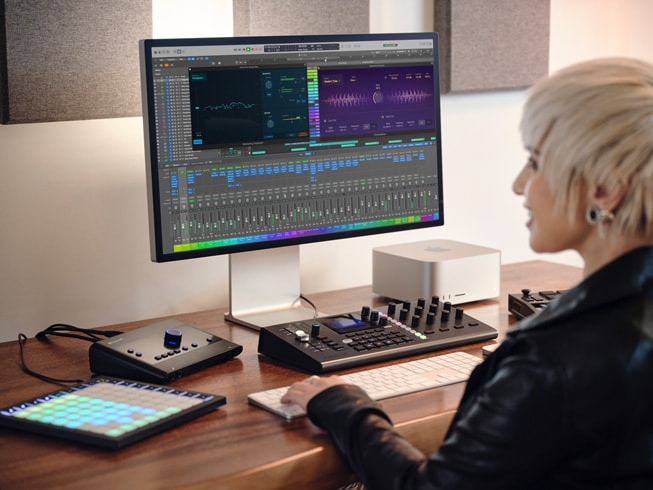
Apple today introduced new Logic Pro updates for Mac and iPad, supercharging beat making and producing. The innovative Stem Splitter feature now offers even greater audio fidelity, and can separate guitar and piano into stems. With Flashback Capture, users can retrieve and restore inspiring performances they may have forgotten to record. And with energetic new sound packs like Dancefloor Rush, beat makers have fresh loops and kits to fuel their next track.

Upgrades to innovative features in Logic Pro take hip-hop and electronic music production to a new level.
Stem Splitter Delivers Enhanced Audio Fidelity and New Stems
The updated Stem Splitter extracts greater detail from old recordings and demos, and now offers added support for guitar and piano stems.1 Producers can easily select common stem variations, such as acapella, instrumental, or instrumental with vocals using presets. Additionally, a new submix feature makes it easy for users to export just the parts of audio they want — for example, removing vocals to create an instrumental track, or pulling out the drums and bass for a custom remix.

Recall Every Moment with Flashback Capture
Flashback Capture allows artists to recover unforgettable performances, even if they forgot to hit record.2 Users can quickly restore MIDI and audio performances using a key command or a custom control bar button. By enabling Cycle mode, musicians can improvise multiple takes, and Flashback Capture will automatically organize each pass into a take folder.
New Sound Packs to Amplify Music Production
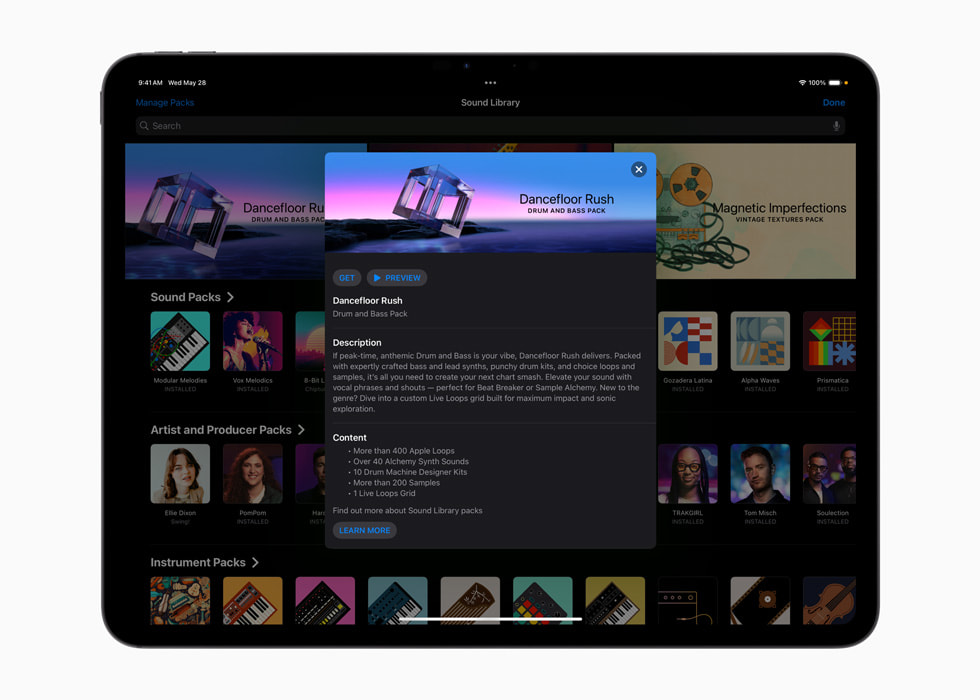
Logic Pro adds new sound packs to amplify music production. Dancefloor Rush — the latest sound pack for Mac and iPad — features a world of expertly crafted drum-and-bass sounds with over 400 dynamic loops, punchy drum kits, and a custom Live Loops grid. Today’s update also introduces two new sound packs to Logic Pro for Mac: Magnetic Imperfections and Tosin Abasi. Magnetic Imperfections brings an original texture that captures the raw, unpolished essence of analog tape, while the Tosin Abasi sound pack showcases progressive metal guitar with boutique amps, unique effects, distinctive picking techniques, and the artist’s signature riffs.
Learn MIDI Comes to iPad for Seamless Logic Pro Integration
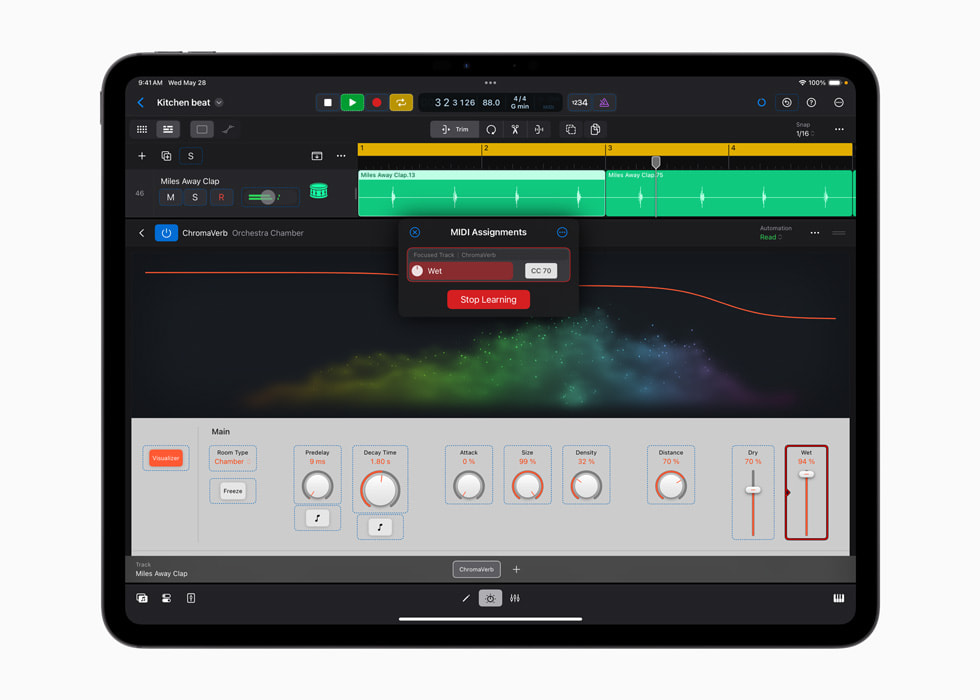
Learn MIDI is now available on iPad, allowing users to get hands-on control by easily assigning their favorite knobs, faders, and buttons on MIDI devices to control plug-ins, instruments, and other automatable parameters within Logic Pro.3 With Learn MIDI’s intuitive interface and real-time visual feedback, users can quickly create custom assignments, view available controls, and stay in their creative flow.
Additional features to enhance creativity on Mac:
- Notepad now features integrated support for Writing Tools, powered by Apple Intelligence, giving users more flexibility and control when they’d like to make their writing more expressive, get help with a rewrite, or even collaborate on song lyrics and more right inline.4
- Users can manage large projects with the new search and select feature, which makes it easy to find and choose tracks by their name or track number.
Pricing and Availability
- Logic Pro for Mac 11.2 is available May 28 as a free update for existing users and for $199.99 (U.S.) for new users on the Mac App Store. It is also available as part of the Pro Apps Bundle for Education, which includes Final Cut Pro, MainStage, Motion, and Compressor for $199.99 (U.S.). Logic Pro for Mac requires macOS Sequoia 15.4 or later. For more information, visit apple.com/logic-pro.
- Logic Pro for iPad 2.2 is available May 28 as a free update for existing users, and available on the App Store for $4.99 (U.S.) per month or $49 (U.S.) per year, with a one-month free trial for new users. Logic Pro for iPad requires iPadOS 18.4 or later. For more information, visit apple.com/logic-pro-for-ipad.
About The Author