Introducing Wireless Account Lock – and other tips for extra protection of online accounts

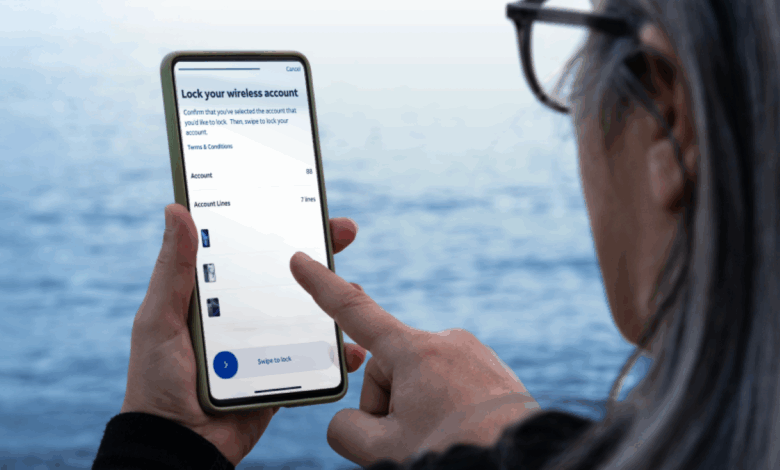
If you want extra protection from unauthorized changes to your AT&T wireless account, we’ve introduced a free feature.
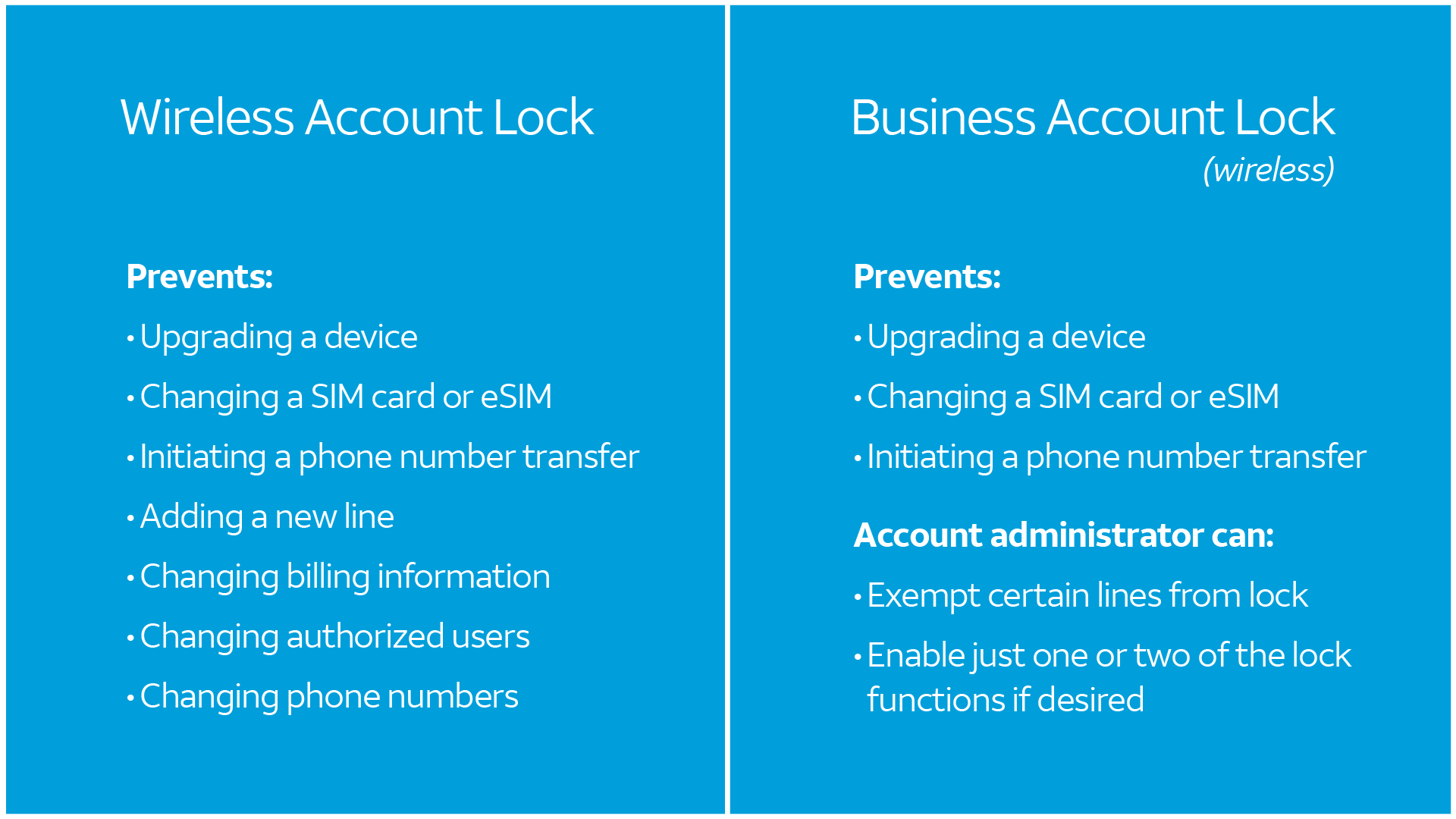
Wireless Account Lock disables several key account changes including billing updates or wireless number transfers. You can lock and unlock it at any time.
The switch – a toggle button – is on your phone’s myAT&T app for postpaid consumer wireless accounts.1
The lock forces an extra step before important account changes can be made. It prevents anyone from buying a device on the account, for example, or conducting a SIM swap – moving a phone number to a SIM in a different device.
Keep in mind that if you select this extra protection, you may need to be available to temporarily unlock your account for a family member. They may want to buy a new device on the account or make other changes.
We also have a new Business Account Lock and an AT&T Prepaid wireless account lock with similar functions. For business, your account administrator can find the lock switch where the account is accessed online.
Why extra protection?
If you are trying to keep any type of online account safe, here is a key point: Most attacks happen when someone is pretending to be you.
Criminals put a lot of energy into getting your username and password. They send fraudulent emails and text messages asking you for it. They buy ads on search engines that look like links to real webpages – then ask for your password on a fake site.
Wireless Account Lock can help with this on your wireless account.
For other types of online accounts, there’s also good news. Many can be protected by multifactor authentication – a step beyond passwords. Examples include:
- Authenticator app on your smartphone: generates time-sensitive codes or sends you push notifications to approve logins.
- Hardware token (sometimes called a security key): a small physical device such as a USB key that you connect to your device to verify yourself.
- Passkey: software loaded into your smartphone or other device that factors both your possession of the device plus another factor such as biometrics – a face or fingerprint scan.
The human element and the future
The best defense against cybercrime is awareness. Just like you’d never give someone your password or a one-time PIN code over the phone, please know that AT&T will never call or text you and ask you to turn off Wireless Account Lock.
Overall, being able to access accounts online has dramatically improved the way we conduct our personal business. Security is a challenge that comes with it. Many smart people are working on a “password-less” future for even better convenience and safety.
We have articles to help you stay safe in today’s world on att.com/CyberAware. And we’re proud to be members of the National Cybersecurity Alliance – pushing forward on safety and security.
1 Wireless Account Lock can be managed on the myAT&T app by the account owner and those who are given secondary online access by the account owner to co-manage the account.
About The Author