Key Takeaway: The Plugable USBC-PDMON is more than just a second screen—it’s a productivity powerhouse on the go. While its standout brightness and built-in USB-C hub are perfect for remote work and travel, its average color accuracy and build quality mean it’s best for spreadsheet warriors, not creative artists.
Expand Your Digital Playground: Meet the Plugable USBC-PDMON
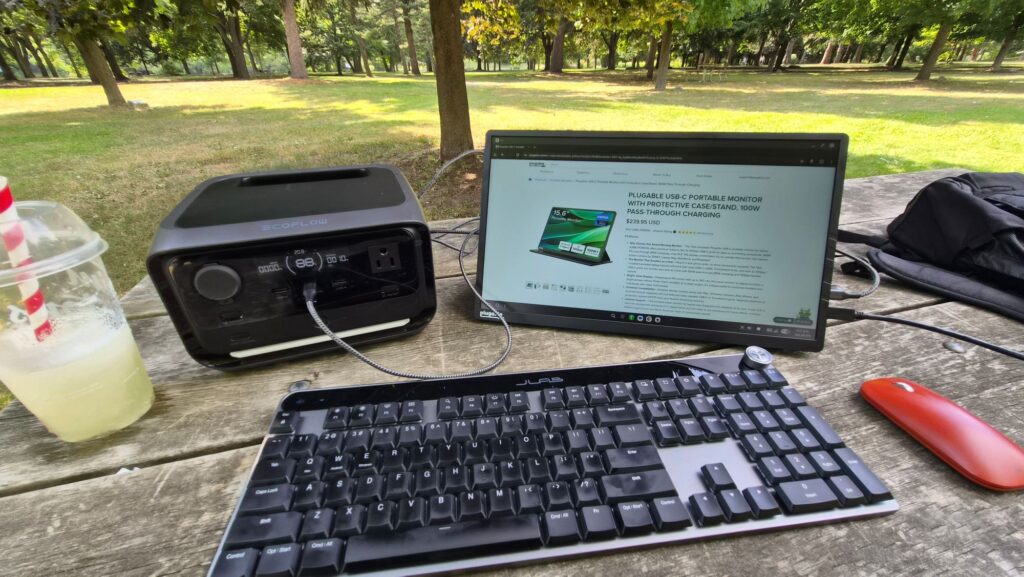
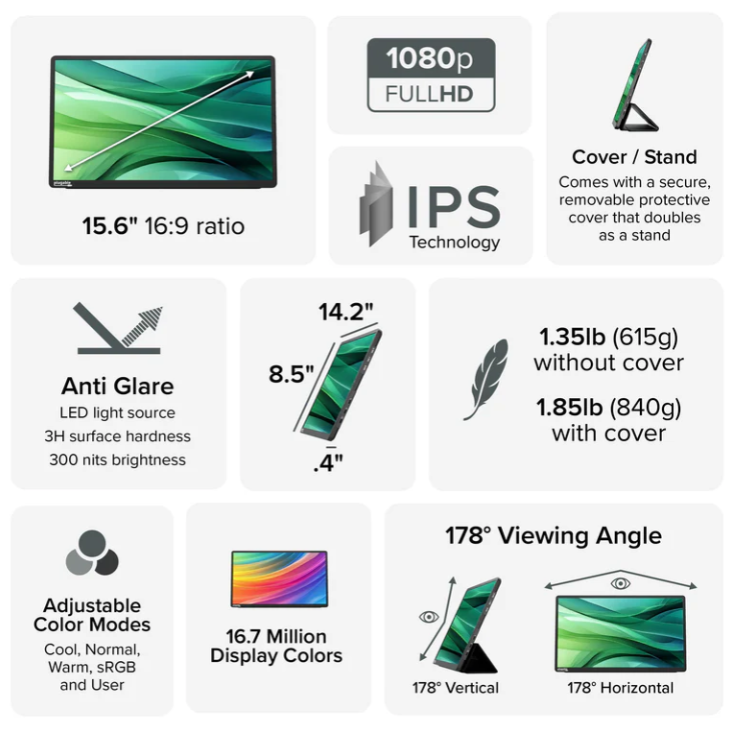
Tired of juggling windows on a single laptop screen? The Plugable USBC-PDMON is here to save the day! This nifty 15.6″ Full HD IPS portable monitor is your ticket to a dual-screen setup anywhere you can find a coffee shop, a park bench, or even a cozy corner of your couch. It’s designed to be your ultimate travel companion, seamlessly expanding your workspace with just a single USB-C connection.
It’s a Monitor, It’s a Hub, It’s a Lifesaver!
What makes the USBC-PDMON truly special is its Swiss Army knife-like functionality. It’s not just a display; it’s also a smart USB-C hub and a power delivery superhero, all wrapped up in one sleek package.
- Single-Cable Freedom: Say goodbye to a tangled mess of cables! The single upstream USB-C port handles both video and power. Plug in a 100W adapter, and the monitor sips just 15W while sending a generous 85W of power straight to your laptop. It’s a clean, clutter-free setup that will make your minimalist heart sing.
- Built-in USB-C Hub: Need to connect a mouse, a keyboard, an external SSD, or even an Ethernet adapter? No problem! The USBC-PDMON features two 10 Gbps downstream USB-C ports, transforming it into a handy hub for all your essential peripherals.
- The Origami Stand: We love a clever design, and the integrated magnetic protective cover that doubles as an origami-style stand is pure genius. It folds into a stable base, giving you the perfect viewing angle for both portrait and landscape modes without any extra accessories.
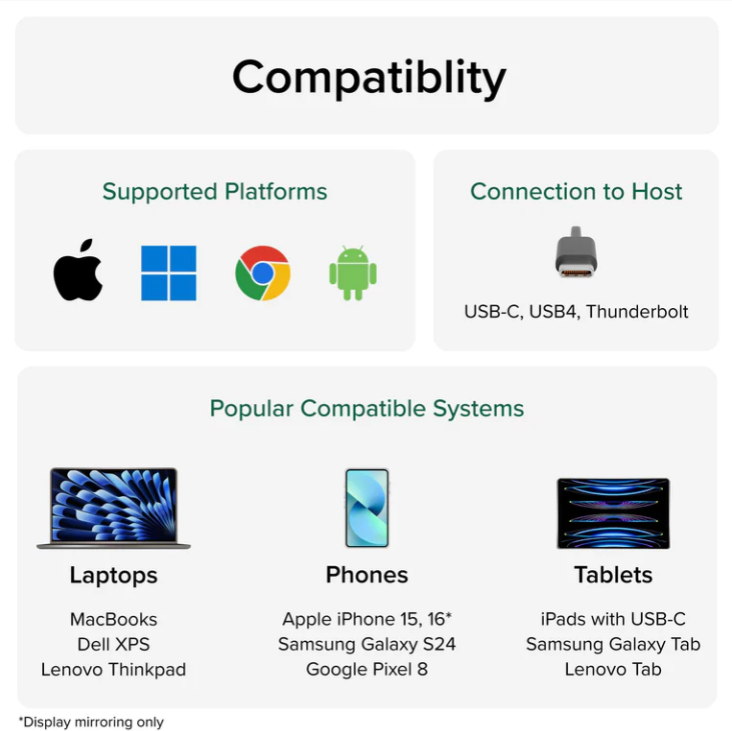
- Universal Compatibility: This monitor is a true team player, working seamlessly and driver-free with USB-C or Thunderbolt laptops, tablets, and even modern smartphones that support DisplayPort Alt Mode (hello, iPad Pro, iPhone 15/16, Pixel 9 Pro, and Galaxy S22/S23/S24!).
Quick Specs at a Glance
| Specification | Details |
| Panel Type / Backlight | IPS / WLED |
| Screen Size / Aspect Ratio | 15.6″ / 16:9 |
| Resolution & Refresh Rate | 1920 × 1080 @ 60 Hz |
| Brightness | 300 nits (typical, often exceeds) |
| Contrast Ratio | 1,000 : 1 |
| Color Coverage | ~63% sRGB; ~45% DCI-P3 |
| Ports | 1× USB-C upstream (DP Alt Mode + PD), 2× USB-C downstream (10 Gbps) |
| Power Delivery | 100 W input (reserves 15 W), 85 W output to host |
| Stand / Cover | Origami-style magnetic protective cover/stand |
| Speakers | Stereo built-in |
| Weight | 1.85 lb (840 g) |
| MSRP (Direct) | US $239.95 |
Data sourced from Plugable and independent reviews (like Tom’s Hardware).
Performance & Image Quality: A Bright Spot with a Few Nuances
Let’s be real, no device is perfect. The USBC-PDMON shines brightly in some areas while showing its budget-friendly roots in others, particularly when it comes to image fidelity.
Where It Shines (Literally!)
- Outstanding Brightness: Independent reviews consistently highlight that this monitor exceeds its stated brightness, measuring up to an impressive 355.6 nits. This makes it an absolute champ for outdoor visibility or brightly lit environments. Say goodbye to struggling to see your screen in the sun!
Areas for Improvement
- Color Me Average: If you’re a photographer, video editor, or graphic designer, this might not be your best friend. With limited color coverage (~63% sRGB), colors can be a bit muted, and subtle nuances might get lost. Reds tend to be slightly oversaturated, while blues can appear muted.
- Subdued Blacks: Typical for a budget IPS panel, the contrast ratio (around 324–1,000:1) can lead to subdued blacks in dark scenes, which might affect movie-watching or gaming.
- Plasticky Flex: The lightweight plastic chassis is great for portability but can flex under slight pressure. While the integrated stand is stable, it’s not adjustable for tilt, which might limit some ergonomic preferences.
- No Fast-Role Swap: A minor inconvenience: the video connection briefly disconnects if you swap the power source.
Pros and Cons: A Quick Look
| Pros | Cons |
| Single-cable video + 85 W charging simplifies travel setups | Average color coverage (~66% sRGB) hinders color-critical work |
| Two 10 Gbps USB-C hub ports for peripherals | Flex-prone plastic frame may feel less durable |
| Outstanding brightness (~355 nits) for outdoor use | Limited on-screen display settings (only five color modes) |
| Integrated protective cover/stand for portability | No Fast-Role Swap: video disconnects briefly if power source is swapped |
| Broad device compatibility (laptop, tablet, phone) | MSRP (~US $239.95) is higher than many competing budget portable monitors |
Pricing & Availability: What to Expect
Direct from Plugable, you can grab the USBC-PDMON for US $239.95, often with free 3-day shipping and a 30-day money-back guarantee. However, if you keep an eye out, you’ll frequently find it on Amazon and other major retailers for a “street price” of US $199–219, sometimes even eligible for Prime discounts. For our Canadian friends, Newegg lists it around CA $362.71 CAD, offering the same great 100 W passthrough and hub functionality.
The Bottom Line: Is the Plugable USBC-PDMON Your Next Travel Buddy?
If your main goal is to boost your productivity on the go, simplify your travel setup with a single cable, and enjoy an exceptionally bright screen, the Plugable USBC-PDMON is a fantastic choice. The integrated hub and robust power delivery add immense value for business travelers and remote workers who need robust connectivity without the clutter.
However, if your work demands pixel-perfect color accuracy for creative projects, or if you’re looking for a monitor with a more premium, rigid build, you might want to explore other options.
Final Verdict: A portable productivity champion that excels in convenience and brightness, making it a valuable tool for anyone looking to break free from the constraints of a single screen and embrace a more flexible, mobile workspace.
These can be found at these links if you need one. Amazon and the Plugable
About The Author