Looking for an affordable way to ease wrist strain without splurging on a $100+ mouse?
Enter the ProtoArc EM11 NL — a vertical ergonomic mouse that promises comfort, versatility, and quality at under $25. This device sits at the sweet spot between no-frills budget mice and pricey premium models like the Logitech MX Vertical.
Is it the right fit for you? Let’s find out.
Executive Overview
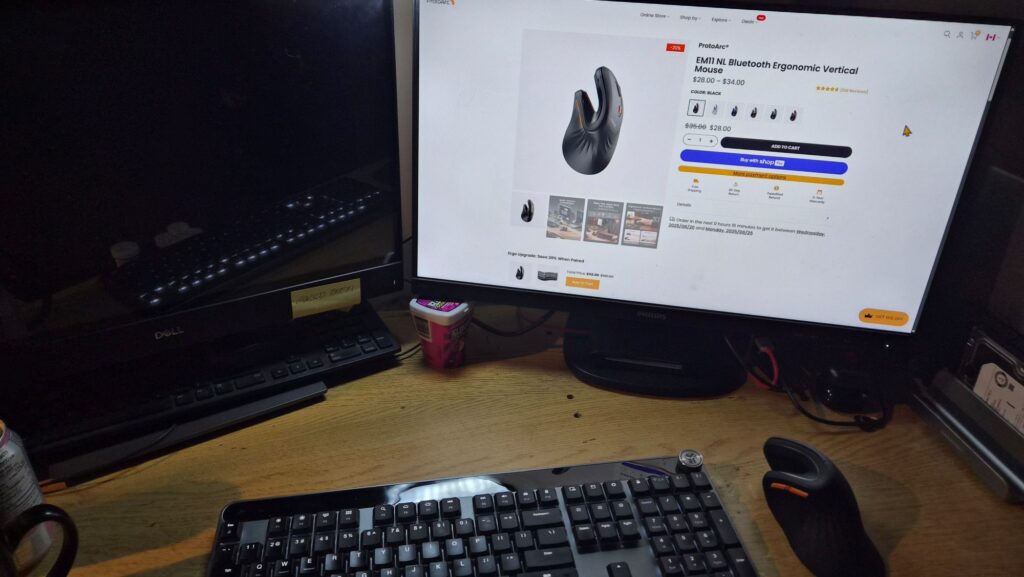
The ProtoArc EM11 NL isn’t trying to be the flashiest gadget on your desk. Its mission is simple yet powerful:
👉 Deliver genuine ergonomic benefits to everyday computer users at a wallet-friendly price.
Quick Highlights:
- Designed to relieve wrist and forearm strain
- Silent, tactile buttons perfect for shared workspaces
- Connects to three devices at once
- Lightweight, portable design (love it or hate it)
- macOS button limitations to consider
Bottom line: It’s built for productivity, not gaming, but it makes ergonomics accessible to a much wider audience.
Design & Ergonomics: The Vertical “Handshake” Experience

At its heart, the EM11 NL is a vertical mouse designed around the handshake grip, which positions your arm in a more natural alignment. This reduces muscle strain compared to the awkward twist of traditional mice.
- Matte, non-slip finish → Stylish and practical (no cheap shiny plastics here)
- Extended palm rest → Promotes a relaxed grip
- Quiet “non-click” buttons → Ideal for libraries, offices, and late-night work sessions
📏 Size Specs: 2.68” (H) × 5.43” (D) × 2.72” (W)
⚖ Weight: Officially 3.9 oz (some users say it feels lighter)

💡 Important Trade-off: The lightweight build makes it perfect for travellers and small workspaces, but some prefer a heavier mouse for precision and stability.
Technical Specifications
Here’s the official breakdown:
| Feature | Specification |
| Dimensions | 2.68 in (H) × 5.43 in (D) × 2.72 in (W) |
| Weight | 3.9 oz (112 g) |
| DPI Options | 1000 / 1600 / 2400 |
| Click Life | 3 million+ clicks |
| Battery | 500 mAh rechargeable Li-Po (USB-C) |
| Connections | 2.4G USB Receiver + 2x Bluetooth channels |
| Devices Supported | Up to 3 |
| OS Compatibility | Windows XP/7/8/10+, macOS 10.12+, Android 4.3+ |
Performance & Everyday Use
1. Multi-Device Switching
With both a USB receiver and dual Bluetooth channels, you can connect to up to three devices simultaneously. With a flick of the switch underneath, you can move from desktop to laptop to tablet in seconds.

2. Driver-Free Convenience
This is a true plug-and-play device. No bloated software installs, no dashboards, just connect and go. For many users, this is a breath of fresh air.
⚠ Mac Users Beware: The forward/backward navigation buttons don’t work in macOS browsers without third-party software. On Windows and Android, full functionality is plug-and-play.
3. DPI & Tracking
With DPI choices of 1000 / 1600 / 2400, the mouse is well-tuned for productivity and web browsing. Gamers, however, may feel limited—no customizable buttons, no ultra-high-DPI range. As one reviewer put it: “Fine for spreadsheets, frustrating for FPS.”
The Ergonomic Learning Curve
Switching to vertical ergonomics isn’t the same for everyone.
- Some users adapt in 10 minutes
- Others take days of wrist grumbling before it feels right
ProtoArc knows this, which is why their 30-day return policy is essential—it transforms the purchase into a risk-free trial experiment. If it’s not for you, simply send it back.

How It Stacks Up Against Competitors
| Feature | ProtoArc EM11 NL | Logitech MX Vertical | Generic Ergo Mouse |
| Price | $19.99–$24.99 | $$$ (premium, triple cost+) | $15–$30 |
| Connectivity | USB + 2x Bluetooth | USB + Bluetooth | USB or Bluetooth |
| DPI Range | 1000–2400 | Up to 4000 | 800–1600 |
| Programmable Keys | No | Yes | No |
| Software Required | No (except macOS fix) | Yes | No |
👉 Key Difference: The EM11 NL wins on simplicity and price, while high-end competitors target power users with deeper customization and higher DPI performance.
Warranty & Value Proposition
Included perks:
- ✅ 2-Year Warranty
- ✅ Free Shipping
- ✅ 30-Day Returns
This isn’t just customer service—it’s part of the brand’s confidence strategy. The trial-friendly policy removes purchase hesitation, positioning the mouse as a “low-risk ergonomic experiment.”
What Users Are Saying
👍 Pros
- Great build quality with a premium matte finish
- Whisper-quiet, tactile buttons
- Easy multi-device switching
- No bloated companion software
- Affordable entry price + generous warranty
👎 Cons
- Takes time to adjust for traditional mouse users
- Lightweight feel may be “too light” for some
- macOS forward/backward button issue
- Not designed for gaming
- Non-programmable buttons
Final Verdict: Is the ProtoArc EM11 NL Worth It?

The ProtoArc EM11 NL hits its target: it’s affordable, reliable, and user-friendly for those who want to dip their toes into ergonomic mice.
- Best For: Windows & Android office warriors, remote workers, and travelers who want comfort without spending big.
- Not Ideal For: MacOS users who want smooth browser navigation out of the box, gamers, and anyone who prefers a heavy mouse.
➡️ Our Take: For $20–$40, the EM11 NL is a fantastic low-risk option to test whether a vertical ergonomic mouse fits your workflow. It’s not universal, but within its lane, it’s a clear winner.
Grab one here https://www.protoarc.com/en-ca/products/em11-nl-vertical-mouse?variant=42318201716825
About The Author