The Moon will pass into Earth’s shadow and appear to turn red on the night of March 13 or early in the morning of March 14, depending on time zone. Here’s what you need to know about the total lunar eclipse.
The March 2025 total lunar eclipse will take place between late night on March 13 and early morning on March 14 across several time zones. In this data visualization, the Moon moves from right to left, passing through Earth’s shadow and leaving in its wake an eclipse diagram with the times (in UTC) at various stages of the eclipse. Credit: NASA’s Scientific Visualization Studio
What is a lunar eclipse?
A lunar eclipse occurs when the Sun, Earth, and Moon align so that the Moon passes into Earth’s shadow. In a total lunar eclipse, the entire Moon falls within the darkest part of Earth’s shadow, called the umbra. When the Moon is within the umbra, it appears red-orange. Lunar eclipses are sometimes called “Blood Moons” because of this phenomenon.
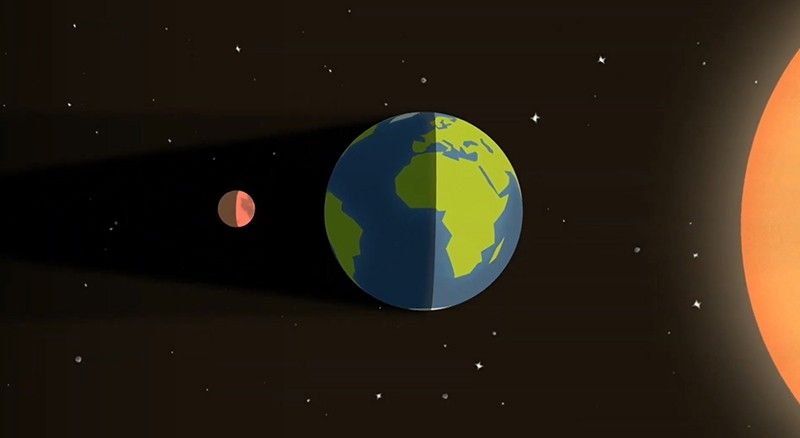
Alignment of the Moon, Earth, and Sun during a lunar eclipse (not to scale).
NASA’s Scientific Visualization Studio
How can I observe the eclipse?
You don’t need any special equipment to observe a lunar eclipse, although binoculars or a telescope will enhance the view. A dark environment away from bright lights makes for the best viewing conditions.
This eclipse will be visible from Earth’s Western Hemisphere.

Map showing where the March 13-14, 2025 lunar eclipse is visible. Contours mark the edge of the visibility region at eclipse contact times, labeled in UTC.
NASA’s Scientific Visualization Studio
What can I expect to observe?
| Milestone: | What’s happening: |
| Penumbral eclipse begins (8:57pm PDT, 11:57pm EDT, 03:57 UTC) | The Moon enters the Earth’s penumbra, the outer part of the shadow. The Moon begins to dim, but the effect is quite subtle. |
| Partial eclipse begins (10:09pm PDT, 1:09am EDT, 05:09 UTC) | The Moon begins to enter Earth’s umbra and the partial eclipse begins. To the naked eye, as the Moon moves into the umbra, it looks like a bite is being taken out of the lunar disk. The part of the Moon inside the umbra appears very dark. |
| Totality begins (11:26pm PDT, 2:26am EDT, 06:26 UTC) | The entire Moon is now in the Earth’s umbra. The Moon is tinted a coppery red. Try binoculars or a telescope for a better view. If you want to take a photo, use a camera on a tripod with exposures of at least several seconds. |
| Totality ends (12:31am PDT, 3:31am EDT, 07:31 UTC) | As the Moon exits Earth’s umbra, the red color fades. It looks as if a bite is being taken out of the opposite side of the lunar disk from before. |
| Partial eclipse ends (1:47am PDT, 4:47am EDT, 08:47 UTC) | The whole Moon is in Earth’s penumbra, but again, the dimming is subtle. |
| Penumbral eclipse ends (3:00am PDT, 6:00am EDT, 10:00 UTC) | The eclipse is over. |
Data visualization showing a telescopic view of the Moon as the March 2025 total lunar eclipse unfolds. Credit: NASA’s Scientific Visualization Studio
Why does the Moon turn red during a lunar eclipse?
The same phenomenon that makes our sky blue and our sunsets red causes the Moon to turn reddish-orange during a lunar eclipse. Sunlight appears white, but it actually contains a rainbow of components—and different colors of light have different physical properties. Blue light scatters relatively easily as it passes through Earth’s atmosphere. Reddish light, on the other hand, travels more directly through the air.
When the Sun is high on a clear day, we see blue light scattered throughout the sky overhead. At sunrise and sunset, when the Sun is near the horizon, incoming sunlight travels a longer, low-angle path through Earth’s atmosphere to observers on the ground. The bluer part of the sunlight scatters away in the distance (where it’s still daytime), and only the yellow-to-red part of the spectrum reaches our eyes.
During a lunar eclipse, the Moon appears red or orange because any sunlight that’s not blocked by our planet is filtered through a thick slice of Earth’s atmosphere on its way to the lunar surface. It’s as if all the world’s sunrises and sunsets are projected onto the Moon.
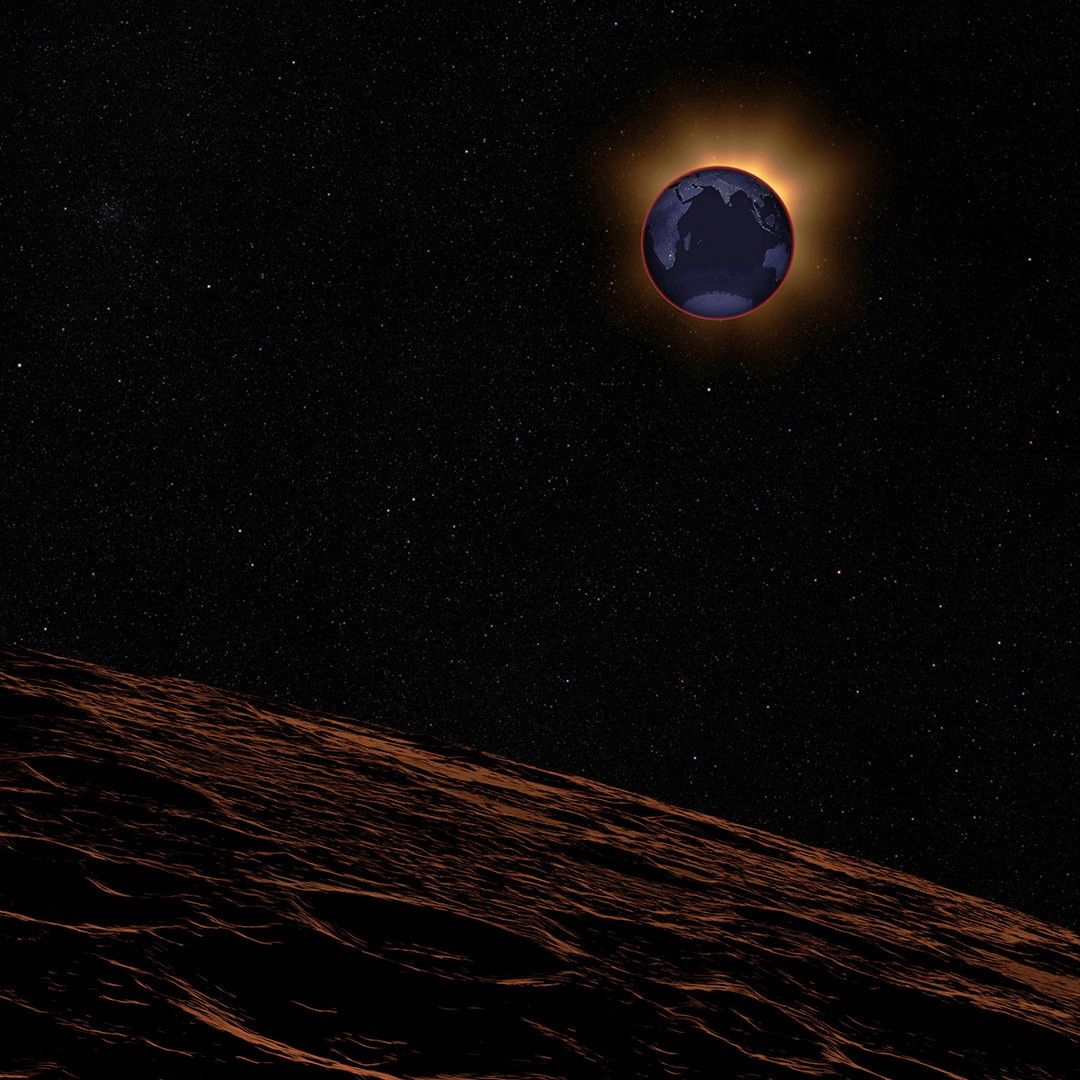
During a total lunar eclipse, the Moon is reddened by sunlight filtered through Earth’s atmosphere.
NASA’s Scientific Visualization Studio
What else can I observe on the night of the eclipse?
Look to the western sky on the night of the eclipse for a glimpse of planets Jupiter and Mars. The Moon will be in the constellation Leo, under the lion’s hind paw, at the beginning of the eclipse; soon afterward, it will cross into the constellation Virgo. As Earth’s shadow dims the Moon’s glow, constellations may be easier to spot than usual.
Visit our What’s Up guide for monthly skywatching tips, and find lunar observing recommendations for each day of the year in our Daily Moon Guide.
Read more: The Moon and Eclipses
Writers: Caela Barry, Ernie Wright, and Molly Wasser