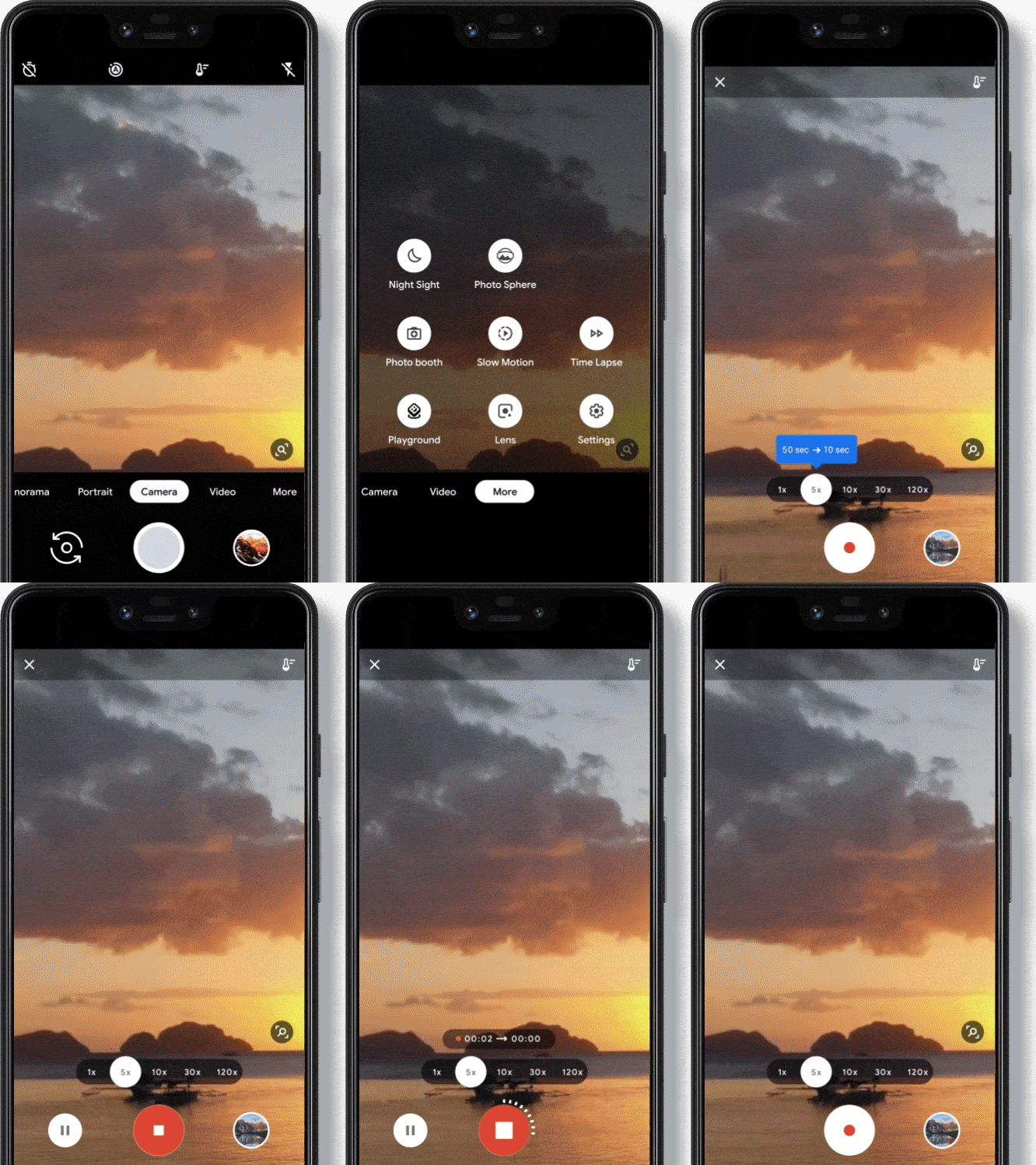
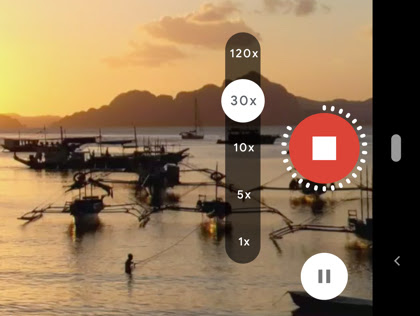
Time Lapse is now available on all Pixel phones.¹ Easily create sped-up videos of things like sunsets, a busy street, or your kids playing soccer, and turn everyday moments into something magical.
I am the owner of Cerebral-overload.com and the Verizon Wireless Reviewer for Techburgh.com. My love of gadgets came from his lack of a Nintendo Game Boy when he was a child . I vowed from that day on to get his hands on as many tech products as possible. My approach to a review is to make it informative for the technofile while still making it understandable to everyone. Ben is a new voice in the tech industry and is looking to make a mark wherever he goes. When not reviewing products, I is also a 911 Telecommunicator just outside of Pittsburgh PA.
I am the owner of Cerebral-overload.com and the Verizon Wireless Reviewer for Techburgh.com. My love of gadgets came from his lack of a Nintendo Game Boy when he was a child . I vowed from that day on to get his hands on as many tech products as possible. My approach to a review is to make it informative for the technofile while still making it understandable to everyone. Ben is a new voice in the tech industry and is looking to make a mark wherever he goes. When not reviewing products, I is also a 911 Telecommunicator just outside of Pittsburgh PA.
Twitter: @gizmoboaks











Got a Questions?
Find us on Socials or Contact us and we’ll get back to you as soon as possible.