




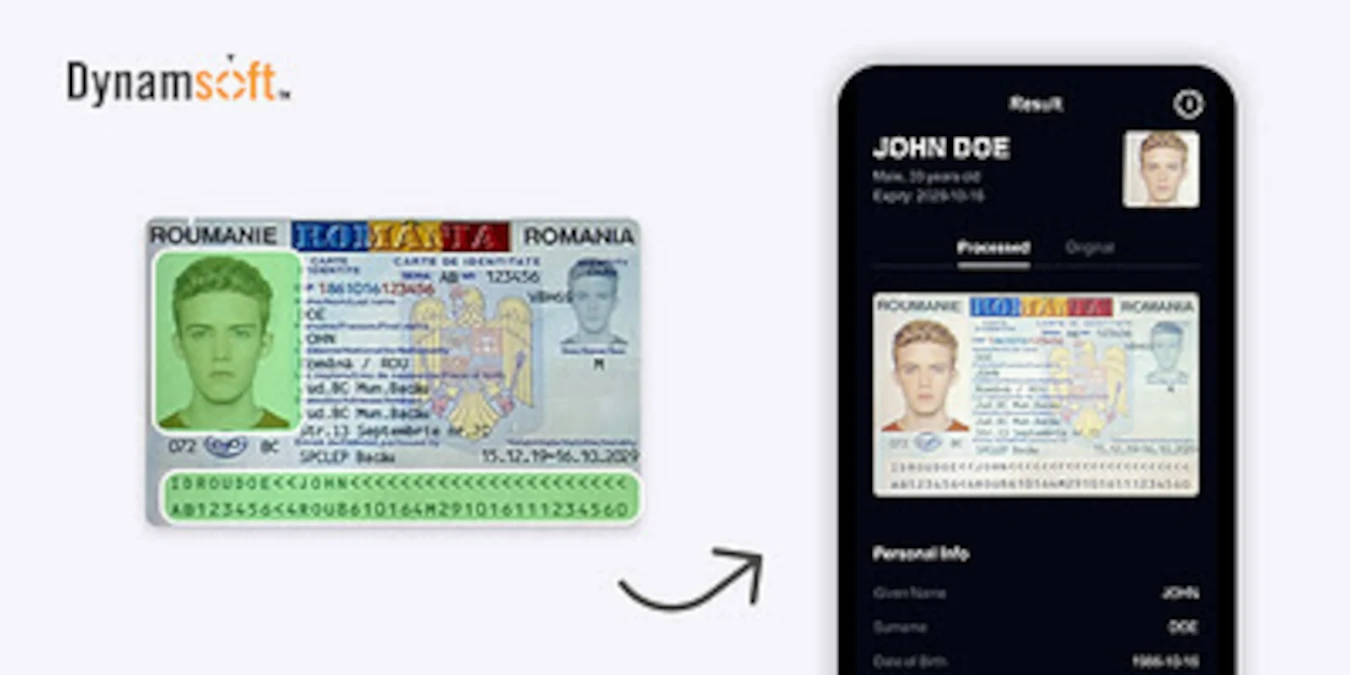
Dynamsoft, a leading provider of document capture and identity scanning SDKs, today announced an update to its MRZ Scanner SDK that extends the data returned from a single scan to include document and portrait images in addition to parsed MRZ fields.

The MRZ (Machine Readable Zone) is the standardized text zone found on passports, national ID cards, and other ICAO-compliant travel documents. It encodes identity fields — name, date of birth, nationality, document number, and expiry — in a format designed for fast, accurate optical character recognition.
The update allows developers to retrieve three image outputs from each scan:
- Portrait image — the holder’s facial photograph, automatically extracted from the passport
- Document image — a cropped, perspective-corrected image of the scanned document
- Original image — the full-frame camera image captured at scan time
For two-sided ID cards, images from both sides are accessible. All three image types are returned alongside the existing parsed MRZ data — name, date of birth, nationality, document number, expiry, gender, and check digits — within a single scan.
What This Means for Identity Verification Workflows
A common gap in digital onboarding pipelines is that passport images are captured and stored for compliance purposes but never used for biometric verification. The MRZ is parsed, identity fields are extracted, but the portrait goes unused — leaving the connection between the document and the person presenting it unverified. Closing that gap has typically required a separate image processing step outside the MRZ scanning workflow.
This update removes that requirement. Development teams building digital onboarding, KYC, or identity verification workflows on top of the Dynamsoft MRZ Scanner SDK can now retrieve the passport portrait directly from the scan result and pass it to a face matching or live selfie verification service without additional preprocessing. The perspective-corrected document image supports document authentication and audit trail requirements. The original frame image provides a complete record of the capture event.
“Identity verification requires more than simply reading the MRZ,” said Amy Gu, CEO of Dynamsoft. “Developers building onboarding workflows need the document image and the portrait alongside the structured data — in a single pass, without additional preprocessing. This update closes that gap and gives teams everything they need from one scan.”
Why This Matters for Regulated Industries
The updated SDK is relevant across any regulated industry that requires remote identity verification at scale.
Financial services and fintech: Banks and digital lenders use automated passport processing to meet KYC obligations and conduct remote customer due diligence without scaling manual review teams. The addition of portrait extraction enables selfie matching to be built directly into account opening workflows.
Travel and hospitality: Airlines and hotel groups integrating passport scanning during booking and check-in can now retrieve a normalized portrait alongside document data, supporting faster identity checks at the point of service.
Healthcare: Hospitals and insurers processing passports for patient registration and insurance verification benefit from a complete document capture record – parsed data, document image, and portrait – within a single scan.
Telecommunications: Mobile operators using passport verification for prepaid SIM registration and remote subscriber onboarding can now support biometric verification requirements without adding a separate image extraction service.
Supported Platforms
The MRZ Scanner SDK supports JavaScript, Android, iOS, React Native, Flutter, MAUI, .NET, C++, and Python. All processing runs on-device, with no transmission of document data to external servers, supporting GDPR, CCPA, and HIPAA compliance requirements. Dynamsoft is ISO 27001 certified.
Availability
The updated MRZ Scanner SDK is available now. A 30-day free trial is available at dynamsoft.com/use-cases/mrz-
About Dynamsoft
Dynamsoft specializes in computer vision, enabling developers to build advanced capture solutions for barcodes, documents, and IDs. The company’s SDKs are engineered to provide high accuracy and speed, in the most demanding industrial environments. Dynamsoft’s solutions are trusted by global leaders such as FUJIFILM, Siemens, Fujitsu, GE, IBM, and Lockheed Martin for digital transformation. Since 2003, Dynamsoft has led the development of enterprise-grade TWAIN software with its flagship Dynamic Web TWAIN SDK and is an associate member of the TWAIN Working Group, contributing to TWAIN standards.
About The Author


Got a Questions?
Find us on Socials or Contact us and we’ll get back to you as soon as possible.